Classroom Jeopardy Template | Editable Jeopardy Review Game for ANY Subject | PowerPoint + Google Slides
Classroom Jeopardy Template | Editable Jeopardy Review Game for ANY Subject | PowerPoint + Google Slides
Couldn't load pickup availability
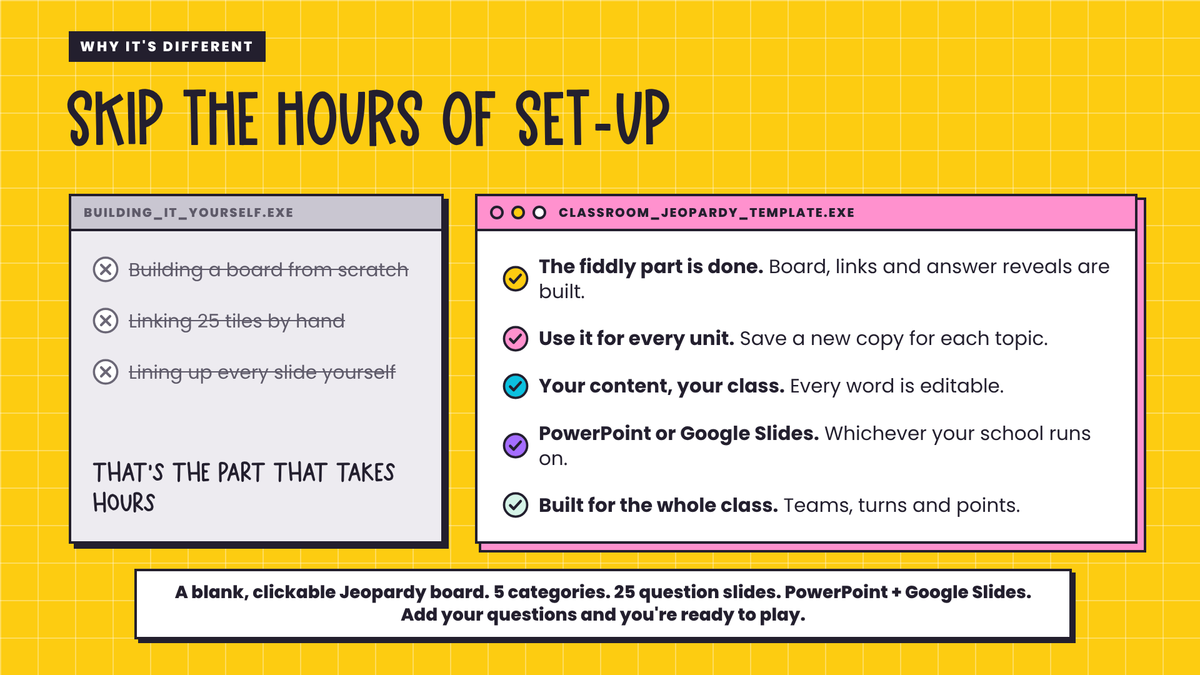
Want a Jeopardy review game for the unit you're teaching right now, but don't want to build the board, link 25 tiles and line up every slide yourself?
That's the part that takes hours. The questions are the bit only you can write.
Meet the Classroom Jeopardy Template!
A blank, editable Jeopardy-style template with all the fiddly parts already done. The board is built, all 25 tiles are linked, and every answer reveals on a click. You type in your own topic, categories, questions and answers, and it's ready for any subject, any unit and any grade.
Please note: this is a template only. No questions, answers or categories are included. You add your own content.
WHAT'S INCLUDED?
✓ Classroom Jeopardy Template (29 editable slides): title slide, teacher instructions slide, How to play slide, game board and 25 question slides
✓ Clickable game board: 5 categories × 5 point values (100–500). Click a tile to jump to its question, then click Back to board
✓ 25 question slides, each with a question box, an optional follow-up line, A–D answer options (or delete them for open questions) and an answer bar that appears on a click
✓ PowerPoint version AND Google Slides version (MAKE A COPY link in the Terms of Use). In the PowerPoint version, each number disappears from the board once it's been played
✓ How to Set Up guide (2 pages, inside the Terms of Use PDF): exactly where to type everything, plus how to test it before class
✓ Terms of Use (PDF)
HOW TO USE IT
- Choose the content you want to review and pick 5 categories.
- Type your topic and categories onto the title slide and the game board.
- Add a question (and answer) to each of the 25 question slides. Use the points as a guide: 100–200 quick recall, 300–400 application, 500 the big thinkers.
- Present it, split the class into teams, and let them take turns choosing a category and point value.
- Correct = the points. Incorrect = no points. Keep score on the whiteboard. The team with the most points wins!
PERFECT FOR...
✏️ End-of-unit and test review
✏️ Vocabulary, key terms and fact fluency
✏️ Revisiting last term's content
✏️ Friday review and reward lessons
✏️ Any subject: maths, science, history, English, languages and more
WHY YOU'LL LOVE THE CLASSROOM JEOPARDY TEMPLATE
♡ The fiddly part is done.
The board, all 25 tile links, the Back to board buttons and the answer reveals are built and tested, so you only add your content.
♡ Use it for every unit.
Save a new copy for each topic and you've got a review game ready for the whole year.
♡ Your content, your class.
Every word is editable, so the questions match exactly what you've taught.
♡ Multiple choice or open questions.
Keep the A–D options or delete them. It's up to you, question by question.
♡ PowerPoint or Google Slides.
Use whichever your school runs on.
♡ Built for the whole class.
Teams, turns and points mean everyone's thinking, not just the same three hands.
MORE THAN JUST A GAME
While teams debate their answers and plan which tile to go for, they're doing retrieval practice: pulling what they've learned back out of their heads and talking it through together. That's what makes it stick.
A blank, clickable Jeopardy board. 5 categories. 25 question slides. PowerPoint + Google Slides. Add your questions and you're ready to play.
GOOD TO KNOW
• This is an editable template, not a ready-made game. No questions or answers are included, so you'll need some prep time to add your own.
• Play it in Slide Show (PowerPoint) or Present (Google Slides) mode so the tiles are clickable.
• In PowerPoint, each number disappears from the board once it's been played, so you can see what's left. In Google Slides the numbers stay, so keep track on the whiteboard as you go.
• There's no built-in scoreboard. Keep score on the whiteboard.
• All ages: works from upper primary through high school, because you write the questions.
• Single teacher licence.
Share